
Geometry and connections
Extract element geometry, align members, resolve junctions, and snap nodes. Connected geometry is the starting point for a useful analytical model.
Move from an ArchiCAD architectural export to a LIRA-SAPR analytical model. NodeSnap extracts structural information and handles the repetitive work of aligning members, resolving junctions, and snapping nodes.
Book a demoAn architectural model describes the building’s physical form. Structural analysis needs an analytical representation: members, axes, connections, sections, materials, and supports that work together as a model.
NodeSnap works at that transition. It reads the architectural export, extracts the relevant information, and prepares the analytical geometry. The engineer can then focus review on the structural interpretation instead of rebuilding every member from the beginning.
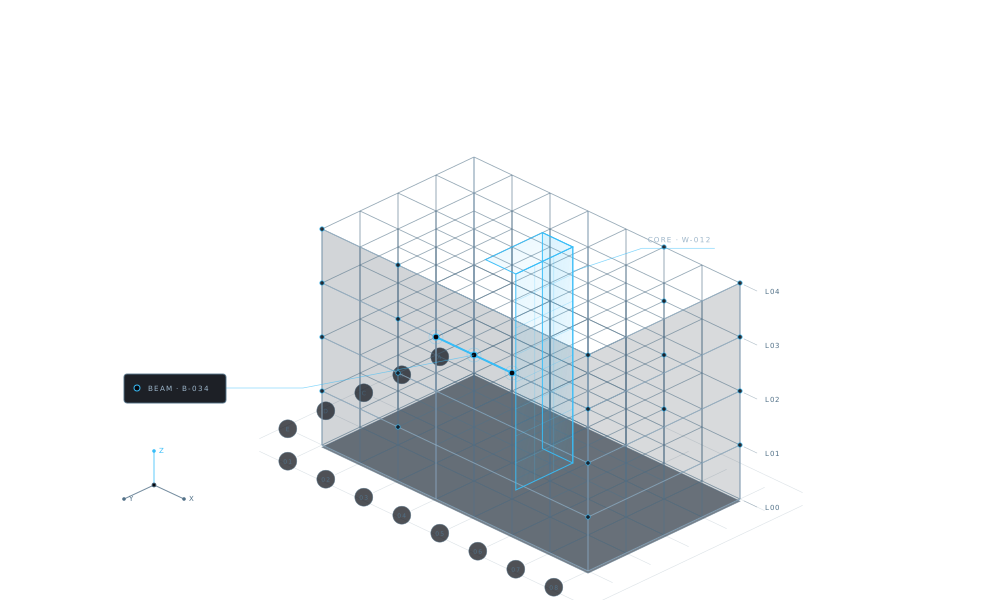
A useful conversion involves both geometry and the properties that give it engineering meaning.
Extract element geometry, align members, resolve junctions, and snap nodes. Connected geometry is the starting point for a useful analytical model.
Bring member sections and material information into the conversion workflow so the resulting elements can be checked against the architectural source.
Extract support information as part of model preparation. The engineer reviews whether those supports represent the intended structural behaviour.
The handoff is complete when the engineer understands the resulting model, not simply when a file has been converted.
Start with an SAF or IFC file from the ArchiCAD workflow. Keep a clear record of the source revision so the team knows which design the analytical model represents.
NodeSnap extracts geometry and properties, aligns members, resolves junctions, and snaps nodes. This prepares the model for the next stage of the LIRA-SAPR workflow.
Review the converted elements with verification. Pay attention to geometry, axes, sections, and materials, particularly where the source contains complicated junctions or unusual arrangements.
Confirm the analytical idealisation and the engineering assumptions for the project. Use the prepared model within your LIRA-SAPR analysis workflow.
These checks make the conversion useful in the context of a real engineering decision.
| Review area | Question for the engineer |
|---|---|
| Connectivity | Do the connected members represent the intended load path? |
| Member axes | Does the analytical position reflect the structural idealisation? |
| Sections and materials | Do the extracted properties match the source and the intended structural specification? |
| Supports | Are the restraints appropriate for the analysis being performed? |
NodeSnap’s workflow is an ArchiCAD architectural export in SAF or IFC format, followed by a LIRA-SAPR analytical model. Describe your actual export when requesting a demo so the discussion stays specific to your project.
The conversion process requires no extra plugin or special modelling convention. The model’s source information still matters: conversion and review depend on the geometry and properties provided in the export.
Revision sync addresses the next handoff. It compares revisions and updates changed elements while retaining loads and assumptions. Element verification helps you inspect the result before continuing with analysis.
Bring the context of a current model and the parts you usually rebuild. We’ll discuss the conversion workflow from source to analytical result.
Request a demo