
Establish the reference
Identify the architectural export associated with the current analytical model. Keep the source revision and the model being reviewed clearly paired.
Compare architectural revisions and update the changed elements while retaining loads and engineering assumptions. Keep the analytical model connected to the evolving design.
Book a demoBy the time a design revision arrives, the analytical model may already contain loading and assumptions that took care to establish. Rebuilding the model makes the handoff repeat work the engineer has already done.
NodeSnap’s revision comparison updates changed elements while retaining loads and assumptions. That gives the engineer a starting point for reviewing the new design and deciding which existing choices still apply.
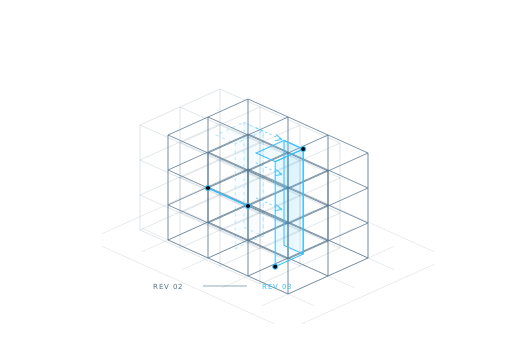
Revision comparison addresses the model change. The engineering consequences still need a deliberate review.
| Example change | What the engineer should review |
|---|---|
| A member changes position | Check its relationship with adjoining members, the resulting axes, and the intended load path. |
| A section changes | Compare the updated section with the source and consider whether the existing analysis assumptions remain appropriate. |
| A material changes | Confirm the material in the source and the analytical model, then review the engineering implications. |
| A junction is reworked | Inspect connectivity around the affected area before relying on the updated model. |
A repeatable review makes each revision easier to understand.
Identify the architectural export associated with the current analytical model. Keep the source revision and the model being reviewed clearly paired.
Use the newer SAF or IFC export from the design workflow. Ask the design team for context about the intent behind changes that affect the structure.
NodeSnap compares revisions and updates changed elements, retaining loads and assumptions. Review the affected areas in the context of the surrounding structure.
Check geometry, axes, sections, and materials against the revised source. Revisit any retained engineering choices that the new design may have affected.
Retaining loads avoids starting the loading work again. The engineer still decides whether the revised structure requires changes to how those loads are represented.
Existing assumptions remain part of the working model. A change in geometry or structural arrangement is a reason to check that those assumptions are still justified.
Use element verification to compare the updated result with the architectural revision. Resolve suspicious results before advancing the analysis.
Explore verificationNo. Retention preserves existing information through the update. Validation is an engineering decision about whether that information remains appropriate for the revised model and the analysis being performed.
Begin with the affected elements, then consider the surrounding connections and the structural consequences. A local geometric change can influence how an engineer interprets the wider system.
Describe a typical before-and-after architectural revision, the SAF or IFC exports involved, and the loads or assumptions you want to carry forward. That makes the discussion concrete.
Discuss how your team moves from the current design to the next one, and which engineering information needs to carry forward.
Request a demo