
Inspect the source and the result
Start with the element in the architectural information and its analytical counterpart. Establish what the source actually says before deciding whether the translation is appropriate.
Compare the analytical model with its architectural source. NodeSnap checks geometry, axes, sections, and materials, and flags suspicious results for review before analysis.
Book a demoA model can look familiar at building scale while individual elements still need attention. A member’s position, direction, section, or material may affect how the engineer interprets the analytical result.
NodeSnap compares each element with its source. The review centres on the relationship between the architectural information and the converted analytical element, giving the engineer a concrete basis for examining suspicious results.
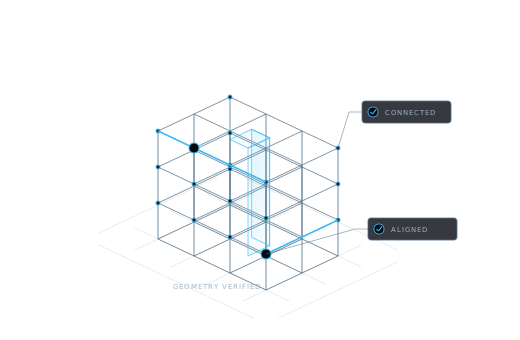
These comparisons support model review; they do not replace the decisions required to establish an analysis model.
| Check | What to inspect | Why it matters |
|---|---|---|
| Geometry | The element’s form and position relative to its source | The analytical representation should reflect the structure the engineer intends to analyse. |
| Axes | The direction and placement of the analytical axes | Axes are part of the idealisation and affect how connected members are understood. |
| Section | The section carried into the analytical element | A familiar shape alone is not enough to confirm the intended member properties. |
| Material | The material associated with the element | Material information needs to match the source and the structural specification being used. |
Verification is most useful when the team can explain what it checked and why the result is acceptable.
Start with the element in the architectural information and its analytical counterpart. Establish what the source actually says before deciding whether the translation is appropriate.
Look at the affected property and the surrounding structure. Decide whether the result reflects an intended analytical choice or a discrepancy that needs correction.
Resolve the issue in the project workflow and check the model again before continuing. The responsible engineer decides when the representation is suitable for analysis.
Check how the architectural export became an analytical model. Pay particular attention to junctions and elements whose idealisation needs engineering judgment.
Explore conversionCompare updated elements with the newer source. Consider whether the changed design affects previously established loads or assumptions.
Explore revision syncResolve suspicious results while the source and the model are both in view. Make the transition into analysis a deliberate engineering review.
A source comparison checks the relationship between model information. Structural adequacy depends on engineering assumptions, loading, analysis, and the applicable design requirements. The engineer remains responsible for those decisions.
The element verification workflow compares geometry, axes, sections, and materials with the source. It flags suspicious results so they can be inspected before analysis.
Updating a model and reviewing it serve different purposes. Revision sync carries changes forward; verification helps examine whether the updated elements correspond to the revised architectural information.
Tell us which elements are hardest to check in your current workflow. We’ll discuss how element verification fits your review.
Request a demo